Events
.
The tree does not call you. You feed it input, and it queues
records
of what happened for the nodes that asked. You take the records when it suits you and answer them by changing the tree.This page builds a counter that way.
A counter
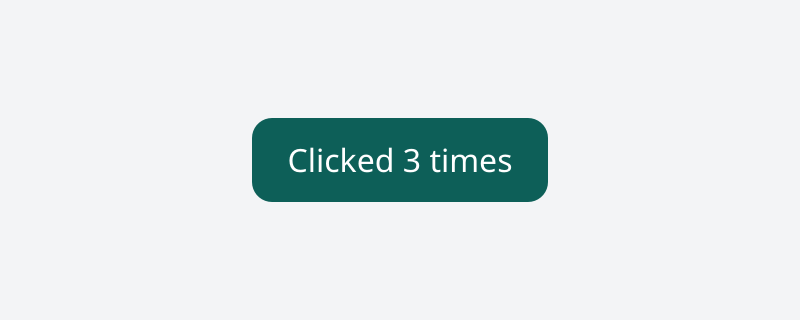
The counter. Where the browser has WebGPU it is running: click it, or focus it and press Enter.
examples/src/tree/clicker.silk
Copy
//! A counter on the bare tree: the client listens, feeds input in, reads records out, and
//! changes the nodes itself. This loop is what a framework over the tree does for you.
import
tree.card { rgb }
import
ui_tree.css
import
ui_tree.css { px, percent, Keyword
}
import
ui_tree.lib {
Align
,
Attribute
,
BoxNode
,
Event
,
EventKind
,
FontFamily
,
Role
,
StyleState
,
TextNode
,
Tree
,
TreeError
}
import
silk.collections.bytes { Bytes
}
import
silk.collections.slice { Slice
}
import
silk.core.result { Result
}
import
silk.mem.allocator { Allocator
, OutOfMemoryError
}
import
silk.num.u32
import
silk.text.string { InvalidUtf8
, String
}
pub
struct
Clicker
{
pub
button: BoxNode
,
pub
label: TextNode
,
pub
clicks: u32,
}
pub
effect
fn
build
(tree: &mut
Tree
<'_>, sans: FontFamily
) -> Clicker
! TreeError
| OutOfMemoryError
? &mut
Allocator
{
let
root = run
tree.box
(
&[
css.display
(Keyword
.Flex
),
css.height
(percent
(100.0
)),
css.alignItems
(Align
.Center
),
css.justifyContent
(Align
.Center
),
css.fontFamily
(sans.raw
()),
css.fontSize
(px
(16.0
)),
css.backgroundColor
(rgb
(0xF3F4F6
)),
],
)
let
button = run
tree.box
(
&[
css.paddingTop
(px
(10.0
)),
css.paddingBottom
(px
(10.0
)),
css.paddingLeft
(px
(18.0
)),
css.paddingRight
(px
(18.0
)),
css.borderRadius
(px
(10.0
)),
css.color
(rgb
(0xFFFFFF
)),
css.backgroundColor
(rgb
(0x0F766E
)),
],
)
run
tree.setStyleFor
(button, StyleState
.Hover
, &[css.backgroundColor
(rgb
(0x0D5F58
))])
run
tree.setStyleFor
(button, StyleState
.Active
, &[css.backgroundColor
(rgb
(0x134E4A
))])
run
tree.setRole
(button, Role
.Button
)
// Tab order 0 makes the box focusable, so Enter and Space click it too.
run
tree.setAttribute
(button, Attribute
.TabIndex
{ value: 0
})
let
label = run
tree.text
("Clicked 0 times"
)
run
tree.append
(button, label)
run
tree.append
(root, button)
run
tree.setRoot
(root)
// Nothing is recorded for a node until it listens.
run
tree.listen
(button, &[EventKind
.Click
])
return
Clicker
{ button: button, label: label, clicks: 0
}
}
/// "Clicked 3 times".
effect
fn
labelFor
(clicks: u32) -> String
! OutOfMemoryError
? &mut
Allocator
{
// The digits, last first.
let
mut
digits: [u8; 10
] = [0
; 10
]
let
mut
count: usize = 0
let
mut
rest = clicks
while
count == 0
|| rest > 0
{
digits[count] = u32.toU8
(rest % 10
) + 48
rest = rest / 10
count = count + 1
}
let
mut
bytes = Bytes
.make
()
run
bytes.append
(b"Clicked "
)
while
count > 0
{
count = count - 1
run
bytes.append
(Slice
.view<u8>(&digits, count, 1
))
}
run
bytes.append
(b" times"
)
return
String
.fromBytes
(move
bytes) |> Result
<String
, InvalidUtf8
>.unwrapOr
(String
.make
())
}
impl
Clicker
{
/// Takes the records the tree queued and answers each click by changing the label.
pub
effect
fn
pump
(self: &mut
Self
, tree: &mut
Tree
<'_>) -> ()
! TreeError
| OutOfMemoryError
? &mut
Allocator
{
let
records = run
tree.events
()
let
all = records.asSlice
()
let
mut
i: usize = 0
while
i < all.length {
if
let
Event
.Click
{ .. } = &all[i].event {
if
all[i].hits
(self.button.id
()) {
self.clicks = self.clicks + 1
let
text = run
labelFor
(self.clicks)
run
tree.setText
(self.label, String
.view
(&text))
}
}
i = i + 1
}
}
}Listening
Silk
Copy
run
tree.listen
(button, &[EventKind
.Click
])Nothing is recorded for a node until it listens. The list replaces what the node listened for before, and an empty list stops it.
Input in
Input is plain data. A window host makes it from what the system reports. A test, or the tool that drew the pictures on this page, makes it by hand:
Silk
Copy
run
tree.dispatch
(Input
.moveTo
(200.0
, 80.0
))
run
tree.dispatch
(Input
.press
(200.0
, 80.0
))
run
tree.dispatch
(Input
.release
(200.0
, 80.0
))Constructor
What it is
Input.moveTo(x, y)
The pointer moved
Input.press(x, y)
, Input.release(x, y)
The primary button went down, came up
Input.wheel(x, y, deltaX, deltaY)
The wheel turned
Input.key(name)
A key went down:
"Enter"
, "Tab"
, "a"
Input.text(value)
Text was typed, for the focused field
Positions are CSS pixels in the viewport. The tree hit tests against the last frame, so ask for a frame before the first input.
The tree does a lot with input before you see any of it. A press focuses what it lands on. A press and a release on the same node become a click. Tab moves focus. Enter and Space click a focused button. The wheel scrolls the nearest scrollable box.
Records out
examples/src/tree/clicker.silk
Copy
/// Takes the records the tree queued and answers each click by changing the label.
pub
effect
fn
pump
(self: &mut
Self
, tree: &mut
Tree
<'_>) -> ()
! TreeError
| OutOfMemoryError
? &mut
Allocator
{
let
records = run
tree.events
()
let
all = records.asSlice
()
let
mut
i: usize = 0
while
i < all.length {
if
let
Event
.Click
{ .. } = &all[i].event {
if
all[i].hits
(self.button.id
()) {
self.clicks = self.clicks + 1
let
text = run
labelFor
(self.clicks)
run
tree.setText
(self.label, String
.view
(&text))
}
}
i = i + 1
}
}tree.events()
takes everything queued so far, oldest first, and empties the queue.A record has three parts:
Field
What it is
target
The node the event happened on
path
The nodes from the root down to the target
event
What happened: a union with one variant per kind of event
Each variant carries only what that event has:
Silk
Copy
match
&record.event {
Event
.Click
{ pointer, count, .. } => { ... } // where, and single or double
Event
.KeyDown
{ key, .. } => { ... } // which key
Event
.Input
{ change } => { ... } // a field's new value
_ => {}
}Bubbling
Events bubble as in the DOM: a click on the text inside a button is a click on the button too. The record's
target
is the deepest node, and record.hits(node)
asks the useful question: does this event reach a listener on node
?Silk
Copy
if
all[i].hits
(self.button.id
()) { ... }When several nodes on the path listen and you want the DOM's exact order, with capture, target and bubble phases and a way to stop, walk the record with
Propagation
:Silk
Copy
let
mut
walk = Propagation
.over
(&record)
let
mut
next = walk.next
()
while
let
Option
<Step
>.Some
{ value: step } = next {
// step.node and step.phase. Call walk.stopPropagation() to end the walk.
next = walk.next
()
}Preventing a default
Some input has a default action: a press moves focus, a wheel scrolls, a key types. There are two ways to turn one off.
Declare it on a node, when the answer is always the same:
Silk
Copy
run
tree.prevent
(toolbarButton, &[DefaultAction
.Focus
])Or decide per event, when it depends on what happened.
begin
dispatches the event and stops before the default action, you look at the records, and finish
says whether it was prevented:Silk
Copy
let
pending = run
tree.begin
(input)
let
records = run
tree.events
()
// ... decide ...
run
tree.finish
(pending, prevented)Dragging
A press captures the pointer: the moves and the release that follow go to the pressed node even when the pointer leaves it.
tree.setPointerCapture(node)
, called from a pointer down, hands that capture to another node, as the DOM call of the same name does.Touch
A host with a touchscreen sends each finger as
Input.TouchStart
, TouchMove
and TouchEnd
(or TouchCancel
when the system takes it), with the finger's number. Clients hear fingers as pointer records: pointer.kind
is PointerKind.Touch
, pointer.id
tells the fingers apart, and the first finger down is the primary one, which presses, focuses and clicks like a mouse button.What a finger does on its own follows
touch-action
, as in a browser. Once the first finger moves past a few pixels in a direction the touch action allows, the tree takes the gesture: every finger's pointer is cancelled, the fingers pan the scroll containers under them, and a flick keeps scrolling after the release. With touch-action: none
, or a drag across the axes pan-x
or pan-y
allow, the pointer records go on to the client, which handles the gesture itself. A second finger where pinch-zoom
is allowed is a pinch, which the tree takes too; there is no page zoom, so it only pans.Output
Copy
.canvas { touch-action: none; } /* drawing: every finger is the app's */
.carousel { touch-action: pan-y; } /* the page scrolls, horizontal swipes are the app's */
Each finger also gets touch records,
TouchStart
, TouchMove
, TouchEnd
and TouchCancel
, for nodes listening with LISTEN_TOUCH
. They come after the finger's pointer records and go to the node the finger went down on until it lifts, as DOM touch events do. A touch record a handler can still act on has detail
1. Preventing a TouchStart
, or the TouchMove
that would start a pan, keeps the whole gesture from the tree: nothing pans, and the tap does not click. Preventing a finger's pointer records does not, as on the web. Once the tree pans, TouchMove
goes on with detail
0. JavaScript apps get these as TouchEvent
s with touches
, targetTouches
and changedTouches
, followed by a tap's compatibility mouse events just before its click.A trackpad pinch arrives as
Input.Pinch
and reaches clients as browsers report it: a wheel record with control held, deltaY
negative when zooming in.Answering
The client answers an event by changing the tree:
tree.setText(label, "Clicked 3 times")
. The next frame lays out and paints what that changed, and nothing else.That loop is all there is: input in, records out, changes in, a frame. A framework over the tree, Silk UI included, is a way of writing that loop once.