Your first tree
.
The UI tree is what draws a Silk UI app in a native window. It is a library of its own, and you can use it without the framework: for a custom toolkit, a game's menus, a renderer that turns layouts into images, or a binding for another language.
Think of it as a small DOM. You make nodes, put them inside each other, and style them with CSS. You feed input in and read events out. When you ask for a frame, it lays everything out and paints it.
This page reads one whole program. It makes a tree and saves a picture of it. There is no window and no GPU.
The program
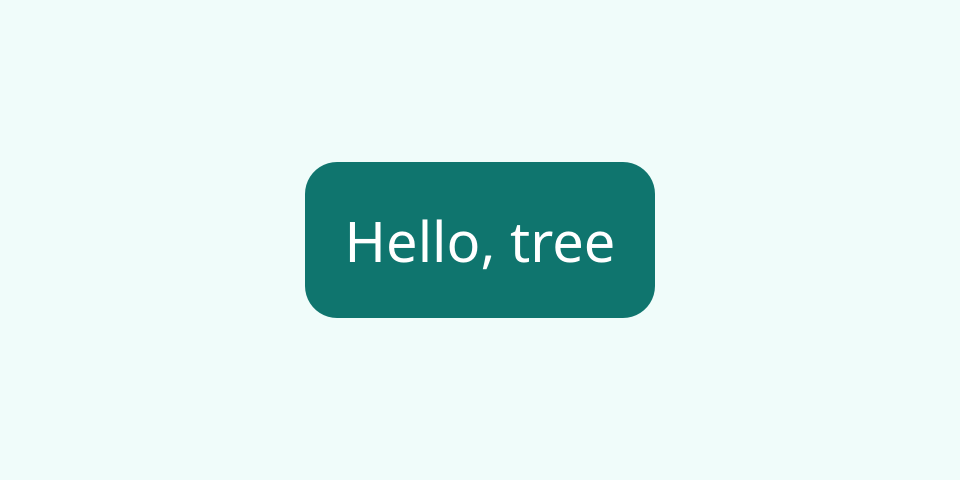
hello.png, the file the program below writes.
examples/apps/tree-hello/src/main.silk
Copy
//! The smallest whole program on the UI tree: it builds three nodes, asks for one frame, and
//! writes the picture to `hello.png`. No window, no GPU.
import
ui_assets.assets
import
ui_tree.css
import
ui_tree.css { px, percent, Keyword
}
import
ui_tree.inspect { CpuSnapshot
, encodePng }
import
ui_tree.lib { Align
, Tree
, TreeError
, Viewport
}
import
codec.image { ImageError
}
import
font_collection.lib { FontCollection
}
import
vector.geometry_error { GeometryError
}
import
silk.collections.bytes { Bytes
}
import
silk.color.rgba { Rgba
}
import
silk.core.effect
{ Effect
}
import
silk.mem.allocator { Allocator
, OutOfMemoryError
}
import
silk.system.filesystem { FileError
, FileSystem
, Path
}
import
silk.system.filesystem_machine { MachineFileSystem
}
import
silk.system.host_input { HostInput
, HostInputError
}
effect
fn
draw
() -> i32
! TreeError
| GeometryError
| ImageError
| FileError
| HostInputError
| OutOfMemoryError
? &mut
HostInput
| &mut
Allocator
{
// 1. Fonts. The tree shapes text with the fonts of a collection it borrows.
let
mut
fonts = FontCollection
.make
()
let
mut
font = Bytes
.make
()
run
font.append
(assets.regularFont
())
drop
run
fonts.add
(move
font)
// 2. Nodes. A box as tall as the viewport, a box in its middle, and a text in that.
let
mut
tree = run
Tree
.make
(&fonts)
let
sans = run
tree.fontFamily
("Noto Sans, sans-serif"
)
let
page = run
tree.box
(
&[
css.display
(Keyword
.Flex
),
css.height
(percent
(100.0
)),
css.alignItems
(Align
.Center
),
css.justifyContent
(Align
.Center
),
css.fontFamily
(sans.raw
()),
css.fontSize
(px
(28.0
)),
css.backgroundColor
(Rgba
<f32> { r: 0.94
, g: 0.99
, b: 0.98
, a: 1.0
}),
],
)
let
badge = run
tree.box
(
&[
css.padding
(px
(20.0
)),
css.borderRadius
(px
(16.0
)),
css.color
(Rgba
<f32> { r: 1.0
, g: 1.0
, b: 1.0
, a: 1.0
}),
css.backgroundColor
(Rgba
<f32> { r: 0.06
, g: 0.46
, b: 0.43
, a: 1.0
}),
],
)
let
words = run
tree.text
("Hello, tree"
)
run
tree.append
(badge, words)
run
tree.append
(page, badge)
run
tree.setRoot
(page)
// 3. A frame: style, layout and paint, for a viewport of 480 by 240 at two device pixels
// per pixel.
drop
run
tree.frame
(Viewport
{ width: 480.0
, height: 240.0
, scale: 2.0
}, 0.0
)
// 4. Pixels. A window would hand the frame's scene to the GPU; this draws it on the CPU.
let
mut
snapshot = CpuSnapshot
.make
()
run
snapshot.sync
(tree.engineMut
())
let
pixels = run
snapshot.render
(tree.engine
())
let
file = run
encodePng
(&pixels)
// 5. The file, in the directory the program was started in.
let
directory = run
Path
.fromBytes
(Bytes
.asSlice
(&run
HostInput
.workingDirectory
()))
let
place = run
Path
.join
(&directory, "hello.png"
)
let
mut
files = run
MachineFileSystem
.make
()
run
FileSystem
.writeFile
(&place, Bytes
.asSlice
(&file))
|> Effect
.provideMut<FileSystem
>(&mut
files)
return
0
}
effect
fn
failed<E
>(error: E
) -> i32 {
drop
error
return
1
}
pub
effect
fn
main
() -> i32
? &mut
HostInput
{
let
mut
allocator = Allocator
.systemAllocatorProvider
()
return
run
Effect
.catchAll
(draw
(), failed) |> Effect
.provideMut<Allocator
>(&mut
allocator)
}examples/apps/tree-hello/silk.toml
Copy
[package]
name
= "tree-hello"
description
= "A UI tree drawn to a PNG file, with no window"
version
= "0.1.0"
kind
= "executable"
[dependencies]
ui_tree
= { path = "../../../../modules/tree"
, package = "ui-tree"
}
ui_assets
= { path = "../../../../modules/assets"
, package = "ui-assets"
}
font_collection
= { git = "https://github.com/silk-lang/lib-fonts.git"
, rev = "66d81fc2655e420301030fc38f306e28f4172441"
, path = "modules/collection"
, package = "font-collection"
}
codec
= { git = "https://github.com/silk-lang/lib-graphics.git"
, rev = "08ca82abc883aca7c1742b665a22453fb8995f50"
, path = "modules/codec"
, package = "graphics-codec"
}
vector
= { git = "https://github.com/silk-lang/lib-graphics.git"
, rev = "08ca82abc883aca7c1742b665a22453fb8995f50"
, path = "modules/vector"
, package = "graphics-vector"
}Shell
Copy
silk run --manifest-path docs/examples/apps/tree-hello/silk.toml
1. Fonts
The tree shapes text itself, so it needs fonts. It borrows a
FontCollection
for as long as it lives. This program adds one font, Noto Sans, from bytes the repository ships.2. Nodes
Silk
Copy
let
badge = run
tree.box
(&[css.padding
(px
(20.0
)), ...])
let
words = run
tree.text
("Hello, tree"
)
run
tree.append
(badge, words)A node is made on its own, then put somewhere. Until it is appended, or made the root, it is not part of what is drawn.
tree.box
returns a BoxNode
and tree.text
a TextNode
. The kind is part of the type, so appending a child to a text node does not compile.tree.setRoot(page)
makes a node the root. The root is as wide as the viewport.3. A frame
Silk
Copy
drop
run
tree.frame
(Viewport
{ width: 480.0
, height: 240.0
, scale: 2.0
}, 0.0
)Nothing is laid out or painted until you ask for a frame. A frame does three things: it resolves styles, lays out, and paints into a
scene
, which is a list of things to draw.The viewport is in CSS pixels.
scale
is how many device pixels each one is: 2 on a dense screen. The second argument is the time in seconds, which a blinking caret needs.A frame only redoes what changed since the last one. Change one text and ask again, and one text is laid out and painted.
4. Pixels
A scene is not pixels yet. In a window, a GPU renderer draws it, and In a window shows that. Here a
CpuSnapshot
draws it in memory and encodePng
makes a PNG of the result.The CPU drawing is the reference the GPU is tested against, so the picture is what a window shows.
What the tree is, and is not
The tree does
The tree leaves to you
Layout: block, inline, flex, grid, positioning, scrolling
Deciding what the UI is
Text: shaping, wrapping, selection, editing, input methods
Keeping your own state
Hover, press and focus looks, tab order, hit testing
Answering events
Painting into a scene
A window and a GPU, which the window host adds
The tree holds no closures and calls nothing back. What crosses its boundary is plain data: styles and text go in, event records come out. That is why Silk can drive it directly, and why a JavaScript host or another process can drive it through the mutation protocol.
Where the framework fits
Silk UI is one client of this tree. Its runtime turns your
view
into the node calls on this page and turns the tree's event records into your messages. Everything in the Native apps guide ends up as a tree like this one.