Your first window
.
A native app is a Silk UI program plus one small file that opens a window. This page takes the counter from Your first program, unchanged, and runs it as a desktop app.
Note:
A project made with silk init -t ui-loom
gets this file generated, and silk task dev
opens it (see Get started). This page writes it by hand, to show what is in it and for apps that need their own. The app
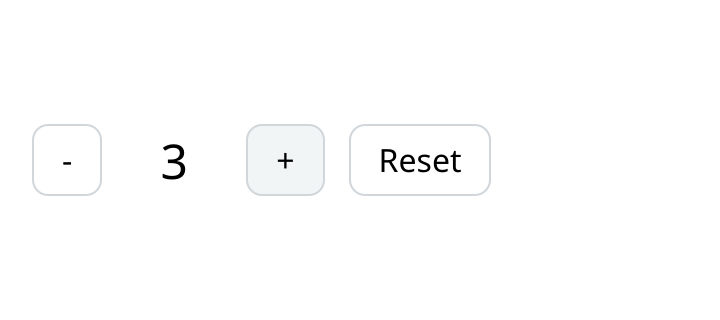
The counter, as a window would show it.
Note:
Where your browser has WebGPU (Chrome and Edge do), the box above is not a picture. It is this program, drawn by the same GPU renderer a native window uses, with a canvas in the page as its window. Click it. In other browsers you see a picture the docs build drew from the same program. It is two files. The manifest:
examples/apps/hello/silk.toml
Copy
[package]
name
= "hello"
description
= "The counter from the Silk UI guide, in a native window"
version
= "0.1.0"
kind
= "executable"
[dependencies]
loom
= { git = "https://github.com/silk-lang/loom.git"
, rev = "0c929b7a3c6e6f631b0ce5c6d3be4e3881462cbb"
, path = "modules/loom"
, package = "loom"
}
loom_window
= { git = "https://github.com/silk-lang/loom.git"
, rev = "0c929b7a3c6e6f631b0ce5c6d3be4e3881462cbb"
, path = "modules/loom/window"
, package = "loom-window"
}
examples
= { path = "../.."
, package = "ui-docs-examples"
}And the entry point:
examples/apps/hello/src/main.silk
Copy
//! The counter from the Silk UI guide, in a native window. The program is unchanged: this
//! file is everything a window needs besides it.
import
examples.core.counter { Counter
, Message
}
import
loom.lib { NoCommand
}
import
loom_window.program { Launched
, Window
, failed, launch, show, systemFonts }
import
silk.core.effect
{ Effect
}
import
silk.core.option { Option
}
import
silk.mem.allocator { Allocator
, OutOfMemoryError
}
/// Opens the window and runs the program in it until the window closes.
effect
fn
counter
(platform: Option
<Launched
>) -> i32
! OutOfMemoryError
? &mut
Allocator
{
let
mut
window = run
Window
.make
("Counter"
, 360.0
, 160.0
)
let
fonts = run
systemFonts
()
return
run
show<Counter
, Message
, NoCommand
, never
>(move
window, &fonts, move
platform)
}
/// The app, on the thread `launch` made for it.
fn
app
(platform: Option
<Launched
>) -> i32 {
let
mut
allocator = Allocator
.systemAllocatorProvider
()
return
run
Effect
.catchAll
(counter
(move
platform), failed)
|> Effect
.provideMut<Allocator
>(&mut
allocator)
}
pub
fn
main
() -> i32 {
// The main thread keeps the system's event loop. The app runs on a thread of its own.
return
launch
(
|platform: Option
<Launched
>| -> i32 {
return
app
(move
platform)
},
)
}That is the whole app. The counter itself is the file you already read:
counter.silk
has no idea it is in a window.Run it
From the root of the repository:
Shell
Copy
silk task native demo docs/examples/apps/hello
On Linux the window system's headers have to be installed first:
Shell
Copy
sudo apt-get install libx11-dev libxkbcommon-dev libwayland-dev wayland-protocols
The window
examples/apps/hello/src/main.silk
Copy
/// Opens the window and runs the program in it until the window closes.
effect
fn
counter
(platform: Option
<Launched
>) -> i32
! OutOfMemoryError
? &mut
Allocator
{
let
mut
window = run
Window
.make
("Counter"
, 360.0
, 160.0
)
let
fonts = run
systemFonts
()
return
run
show<Counter
, Message
, NoCommand
, never
>(move
window, &fonts, move
platform)
}•
Window.make(title, width, height)
describes the window. Nothing opens yet.•
systemFonts()
loads the fonts installed on the machine: the ones text uses unless the program declares its own (see Images and fonts).•
show
opens the window and runs the program in it. It returns when the window closes, with the exit code.The four type arguments of
show
are the model, the message type, the command type, and what the commands need. The counter has no commands, so those are NoCommand
and never
.Two threads
examples/apps/hello/src/main.silk
Copy
pub
fn
main
() -> i32 {
// The main thread keeps the system's event loop. The app runs on a thread of its own.
return
launch
(
|platform: Option
<Launched
>| -> i32 {
return
app
(move
platform)
},
)
}Desktop systems want their event loop on the main thread.
launch
keeps it there and starts your app on a thread of its own. You write these few lines once per app.examples/apps/hello/src/main.silk
Copy
/// The app, on the thread `launch` made for it.
fn
app
(platform: Option
<Launched
>) -> i32 {
let
mut
allocator = Allocator
.systemAllocatorProvider
()
return
run
Effect
.catchAll
(counter
(move
platform), failed)
|> Effect
.provideMut<Allocator
>(&mut
allocator)
}app
is where the program gets what it needs. Here that is memory, and a handler that turns a failure into an exit code. An app with commands provides their services in the same place, as the next page shows.A bigger program, the same way
The counter is small on purpose. Nothing changes when the program is not. This is the task board from the front page, the same file, opened with the same few lines:
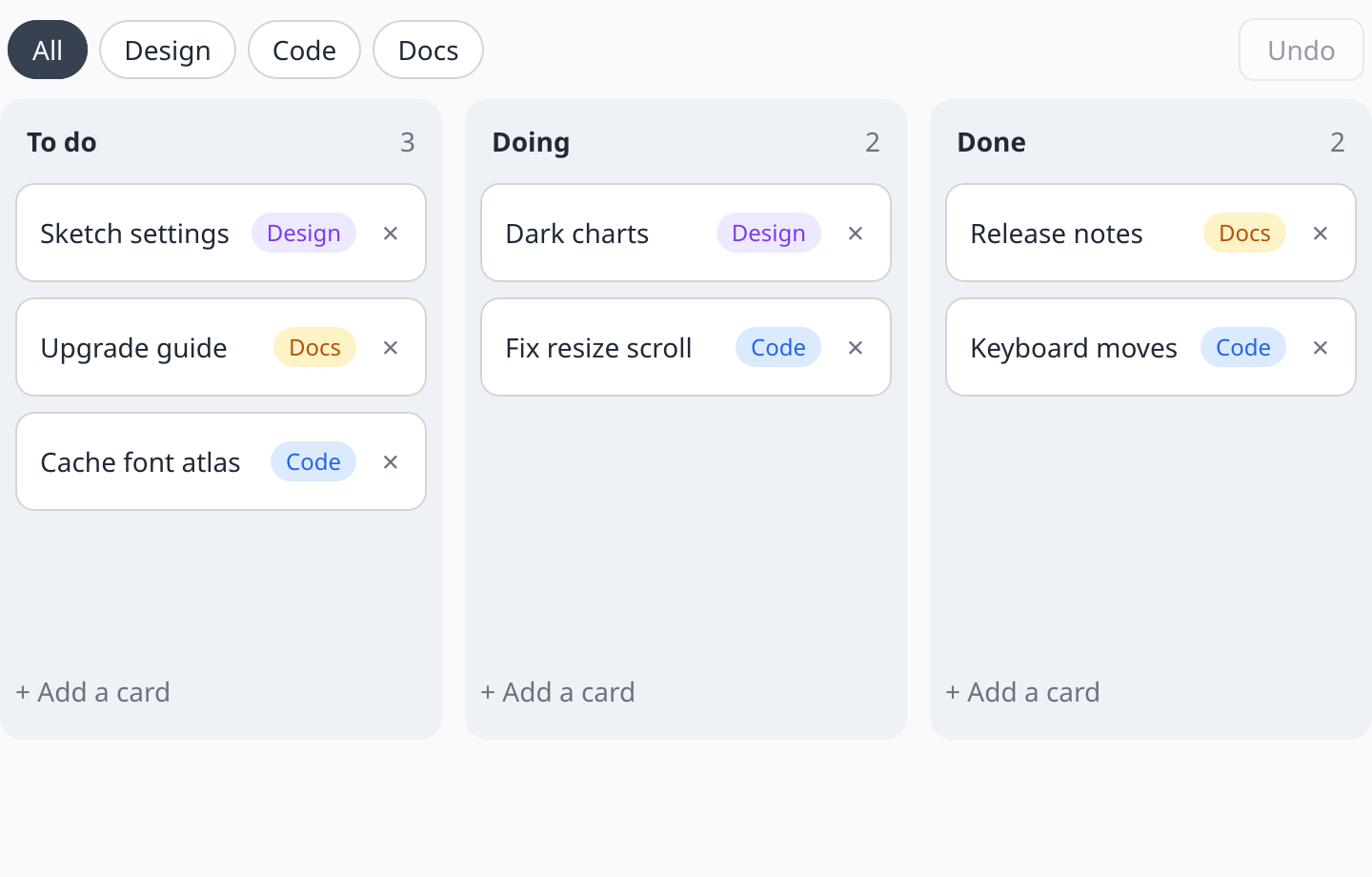
The board in a window. Drag a card, or focus one and use the arrow keys. In the front page the DOM draws it. Here the GPU does.
examples/src/showcase/board.silk
Copy
pub
struct
Board
{
/// Every card. A column shows its cards in the order they have here.
pub
cards: List
<Card
>,
pub
nextId: u64,
/// The tag being shown, or 0 for all of them.
pub
filter: u32,
/// The column whose "add" row is open, or `NOWHERE`, and what is typed there.
pub
adding: u32,
pub
draft: String
,
/// The card being dragged, or 0.
pub
dragging: u64,
/// Where the drag started: the pointer, and the card's column and place in it.
pub
fromX: f32,
pub
fromY: f32,
pub
fromColumn: u32,
pub
fromIndex: usize,
/// How far the pointer has gone since.
pub
movedX: f32,
pub
movedY: f32,
/// Where the card would land if it were dropped now.
pub
overColumn: u32,
pub
overIndex: usize,
/// The card the keyboard moved last: it keeps the focus when it changes column.
pub
held: u64,
/// The board's width, from the layout.
pub
width: f32,
/// The cards as they were before each change, newest last.
pub
past: List
<List
<Card
>>,
}The drag is a captured pointer, the sliding cards are positions computed from the model, and Undo is a list of earlier card lists. Events and input covers the pieces.
What you get without writing it
The window draws with the GPU and lays out with the same CSS rules as a browser. Because of that, things you expect from a web page work in the window too, without code in your program:
•
Text selection, the caret, copy and paste in text fields, and input methods.
•
Scrolling with the wheel, the trackpad and the keyboard.
•
Tab and Shift+Tab between controls, and a focus ring for the keyboard.
•
Hover, press and focus looks.
•
A screen reader's view of the window, from the roles and labels in your view. This is implemented on macOS today.
Next
•
The shell gives the app a menu bar, file dialogs and the clipboard.
•
More windows opens a second one.
•
Devtools shows what the app is doing while it runs.