More windows
.
A program can show more than one window. It does not open and close them. It
declares
the windows it wants, as a function of its model, and the runtime opens and closes OS windows to match.Swatches
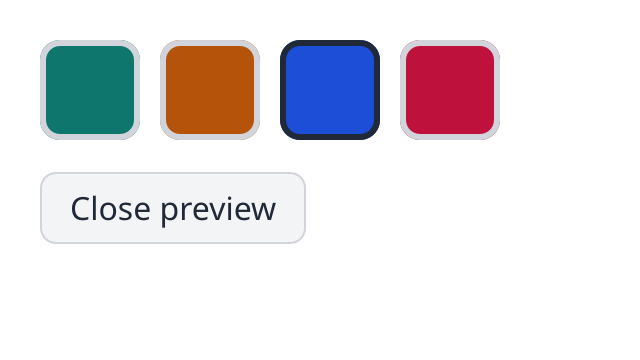
The first window. Where the browser has WebGPU it runs here: press Open preview, and the second window opens under it, with a title bar the page draws for it.
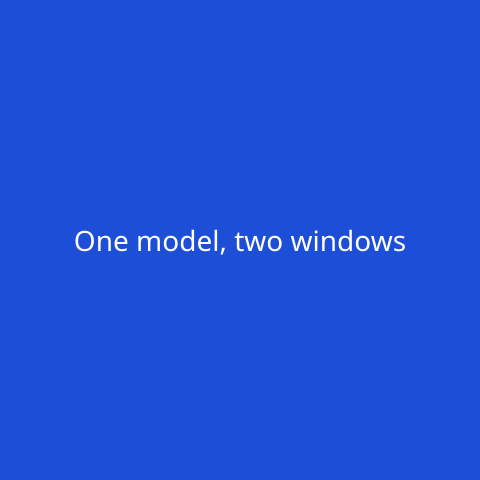
The second window, with the blue swatch chosen. It shows the same model.
examples/src/native/swatches.silk
Copy
//! Swatches: a color picker whose preview lives in a second window. Both windows show the
//! one model, and the model decides which windows exist.
import
core.look { INK
, LINE
, button, rgb }
import
loom.css
import
loom.css { px, percent, Align
, BorderStyle
}
import
loom.lib {
Document
,
Node
,
NoCommand
,
NoOutput
,
Program
,
Update
,
Windows
,
WindowSpec
}
import
silk.mem.allocator { Allocator
, OutOfMemoryError
}
/// The key of the preview window. Keys tell the windows apart, as keys tell list items apart.
pub
const
PREVIEW
: u64 = 1
const
COLORS
: [u32; 4
] = [0x0F766E
, 0xB45309
, 0x1D4ED8
, 0xBE123C
]
pub
struct
Swatches
{
/// The chosen color: an index into `COLORS`.
pub
chosen: usize,
/// Whether the preview window is open.
pub
previewing: bool,
}
pub
union
Message
{
ClickedSwatch
{ pub
index: usize },
ClickedTogglePreview
,
/// The user asked to close the preview window.
RequestedClosePreview
,
}
type
Next
= Update
<Swatches
, NoCommand
, NoOutput
>
impl
Program
<Message
, NoCommand
> for
Swatches
{
effect
fn
init
() -> Next
! OutOfMemoryError
? &mut
Allocator
{
return
Next
.of
(Swatches
{ chosen: 0
, previewing: false
})
}
effect
fn
update
(mut
model: Swatches
, message: Message
) -> Next
! OutOfMemoryError
? &mut
Allocator
{
match
move
message {
Message
.ClickedSwatch
{ index } => {
model.chosen = index
}
Message
.ClickedTogglePreview
=> {
model.previewing = !model.previewing
}
Message
.RequestedClosePreview
=> {
// The window stays open until the model stops declaring it.
model.previewing = false
}
}
return
Next
.of
(move
model)
}
/// The first window.
fn
view
(model: &Swatches
, h: &Document
<Message
>) -> Node
{
return
h.column
(
&[h.style
(&[css.padding
(px
(20.0
)), css.rowGap
(px
(16.0
)), css.color
(rgb
(INK
))])],
&[
h.row
(
&[h.style
(&[css.columnGap
(px
(10.0
))])],
&[swatch
(h, model, 0
), swatch
(h, model, 1
), swatch
(h, model, 2
), swatch
(h, model, 3
)],
),
h.row
(
&[],
&[
button
(
h,
if
model.previewing {
"Close preview"
} else
{
"Open preview"
},
Message
.ClickedTogglePreview
,
),
],
),
],
)
}
/// The windows besides the first. The runtime asks after every update and opens and closes
/// windows to match.
fn
windows
(model: &Swatches
, w: &mut
Windows
<Message
>) -> () {
if
model.previewing {
w.window
(
PREVIEW
,
WindowSpec
.titled
("Preview"
).sized
(240.0
, 240.0
),
|h| preview
(model, h),
|| Message
.RequestedClosePreview
,
)
}
}
}
fn
swatch
(h: &Document
<Message
>, model: &Swatches
, index: usize) -> Node
{
return
h.button
(
&[
h.label
("Color"
),
h.checked
(model.chosen == index),
h.onClick
(Message
.ClickedSwatch
{ index: index }),
h.style
(
&[
css.width
(px
(44.0
)),
css.height
(px
(44.0
)),
css.borderRadius
(px
(10.0
)),
css.borderWidth
(px
(3.0
)),
css.borderStyle
(BorderStyle
.Solid
),
css.borderColor
(
if
model.chosen == index {
rgb
(INK
)
} else
{
rgb
(LINE
)
},
),
css.backgroundColor
(rgb
(COLORS
[index])),
],
),
],
&[],
)
}
/// The preview window: the chosen color, edge to edge.
fn
preview
(model: &Swatches
, h: &Document
<Message
>) -> Node
{
return
h.column
(
&[
h.testId
("preview"
),
h.style
(
&[
css.height
(percent
(100.0
)),
css.alignItems
(Align
.Center
),
css.justifyContent
(Align
.Center
),
css.fontSize
(px
(14.0
)),
css.color
(rgb
(0xFFFFFF
)),
css.backgroundColor
(rgb
(COLORS
[model.chosen])),
],
),
],
&[h.text
("One model, two windows"
)],
)
}Windows are a function of the model
examples/src/native/swatches.silk
Copy
/// The windows besides the first. The runtime asks after every update and opens and closes
/// windows to match.
fn
windows
(model: &Swatches
, w: &mut
Windows
<Message
>) -> () {
if
model.previewing {
w.window
(
PREVIEW
,
WindowSpec
.titled
("Preview"
).sized
(240.0
, 240.0
),
|h| preview
(model, h),
|| Message
.RequestedClosePreview
,
)
}
}This is the same idea as
view
and subscriptions
. After every update the runtime asks which windows the model wants now. A window that is new in the answer is opened. A window that is gone from it is closed.So "the preview is open" is not something to keep in sync with the model. It
is
the model: model.previewing
.w.window
takes four things:Argument
What it is
A key
Tells this window from the others, from one update to the next
A
WindowSpec
The title and size it asks for
A view
What the window shows. It gets the same model as the first window
A close message
What to send when the user asks to close it
WindowSpec.titled("Preview").sized(240.0, 240.0)
is a resizable window of that size. Add .fixed()
for one the user cannot resize.One model
Both windows show the same model, and a click in either one goes through the same
update
. Click a swatch in the first window and the second changes color, with no code that connects them.That is the main difference from frameworks where every window is its own program and the two must send each other messages.
Closing a window
examples/src/native/swatches.silk
Copy
effect
fn
update
(mut
model: Swatches
, message: Message
) -> Next
! OutOfMemoryError
? &mut
Allocator
{
match
move
message {
Message
.ClickedSwatch
{ index } => {
model.chosen = index
}
Message
.ClickedTogglePreview
=> {
model.previewing = !model.previewing
}
Message
.RequestedClosePreview
=> {
// The window stays open until the model stops declaring it.
model.previewing = false
}
}
return
Next
.of
(move
model)
}When the user presses the second window's close button, nothing closes. The program gets the close message, and decides. Here it sets
previewing
to false, the model stops declaring the window, and so the window closes.A program could just as well ignore the request, or ask first.
Hearing more from a window
w.listen(key, handler)
hears the other things that happen to a declared window:Event
When
WindowEvent.Resized { width, height }
Its content changed size
WindowEvent.Focused
, WindowEvent.Blurred
It took or lost the keyboard
WindowEvent.Failed
It could not be opened
Failed
is what a program hears where there can only be one window, such as in a browser. The first window keeps working.The entry point
examples/apps/swatches/src/main.silk
Copy
//! Swatches in native windows. Nothing here knows about the second window: the program
//! declares it, and the host opens an OS window for it.
import
examples.native.swatches { Message
, Swatches
}
import
loom.lib { NoCommand
}
import
loom_window.program { Launched
, Window
, failed, launch, show, systemFonts }
import
silk.core.effect
{ Effect
}
import
silk.core.option { Option
}
import
silk.mem.allocator { Allocator
, OutOfMemoryError
}
effect
fn
swatches
(platform: Option
<Launched
>) -> i32
! OutOfMemoryError
? &mut
Allocator
{
let
mut
window = run
Window
.make
("Swatches"
, 320.0
, 180.0
)
let
fonts = run
systemFonts
()
return
run
show<Swatches
, Message
, NoCommand
, never
>(move
window, &fonts, move
platform)
}
fn
app
(platform: Option
<Launched
>) -> i32 {
let
mut
allocator = Allocator
.systemAllocatorProvider
()
return
run
Effect
.catchAll
(swatches
(move
platform), failed)
|> Effect
.provideMut<Allocator
>(&mut
allocator)
}
pub
fn
main
() -> i32 {
return
launch
(
|platform: Option
<Launched
>| -> i32 {
return
app
(move
platform)
},
)
}It is the same as the first window's. Nothing in it mentions a second window.
Shell
Copy
silk task native demo docs/examples/apps/swatches